
2.1 Getting Started with the Template
Obtaining the Latest Template
Contact your Fairly Made representative to receive the most up-to-date xlsx template. This ensures you're working with the correct data structure and latest field requirements.
Understanding the Template Structure
Your template contains several tabs designed to guide you through the data import process:
- HOME: Contains explanations about the file structure, making it easy to share internally with your team
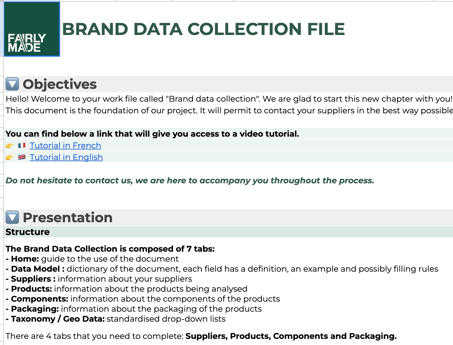
- FAIRLY MADE - DATA MODEL: Provides detailed information about each field including format requirements, technical constraints, and examples
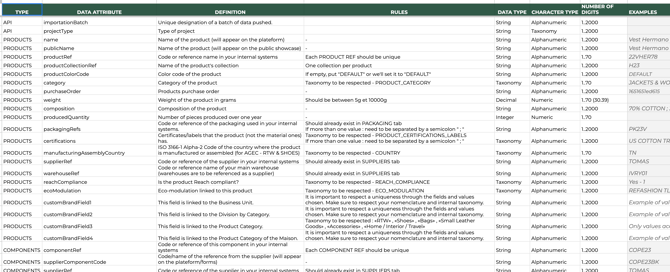
- SUPPLIERS, PRODUCTS, COMPONENTS, PACKAGING: The actual data input tabs where you'll enter your information
- TAXONOMY and GEO DATA: Reference tabs containing available values for specific fields (e.g., raw materials list, product categories). Only these predefined values are accepted for certain fields.
2.2 Best Practices for Data Entry
Following these guidelines will streamline your data processing and minimize revisions:
Template Integrity
- ✅ Keep original column names and order unchanged
- ❌ Don't rename or move columns
- ❌ Don't merge cells
Data Organization
- ✅ Create separate tabs for intermediate data preparation if needed
- ⚠️ Important: Only SUPPLIERS, PRODUCTS, COMPONENTS, and PACKAGING tabs will be processed by our system
Data Consistency
- ✅ Ensure supplier references match exactly between PRODUCTS/COMPONENTS tabs and the SUPPLIERS tab
- ✅ Verify all reference codes are consistent across related data entries