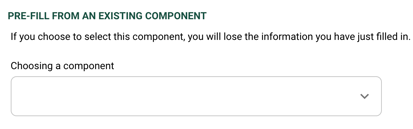
1. PRE-FILL FROM AN EXISTING COMPONENT (optional)
Only fill out this section if you have already completed a form for the same component and wish to reuse the pre-recorded information in this form. If your component is not in the list, please ignore this section.
2. COMPONENT COMPOSITION* (mandatory)
- Composition: mandatory
Please select the materials that make up the component being analysed.
- Country of origin: optional
If you know the country of origin of the raw material / raw fibers, please provide this information.

3. CERTIFICATIONS & DOCUMENTS (optional)
You can attach certifications related to the materials used (TC..). The scope certificates for your factory should only be placed in the 'My Company' tab. Please do not send us the certifications from your suppliers in this section.

4. DYEING STEP* (mandatory)
Please let us know at which stage the dyeing process was completed, so it can be placed in the correct position in the traceability section below.
Indicate "not dyed" only if the component was sold to your downstream supplier/client as greige.
If the dyeing was carried out at the product level, please inform Fairly Made.

5. STEPS OF THE SUPPLY CHAIN* (mandatory)
This section represents a production chain, with theoretical steps from the raw material (at the bottom) to the brand's warehouse (on the top). You can click on each production step to open it and fill in the information below.
Minimum required information in this section: insert your facility name in the processes carried out in-house (if applicable) and fill in at least one new production process carried out by one of your upstream suppliers with the following information:
- Supplier facility name (select the name from the drop-down list). Please mention production facilities rather than HQ when you can.
If the supplier is not in the list, you can select 'supplier not in the list' at the bottom of the drop-down list and add the information manually. - Supplier facility address (if it is not already registered in our system)
- Supplier email (if it is not already registered in our system)
- Component reference: the supplier's unique item reference provided to you. Please insert a precise and unique reference so that the involved supplier can recognize the specific material being analysed and be able to provide us with information related to that particular material. This is the only information it will receive to identify the component.
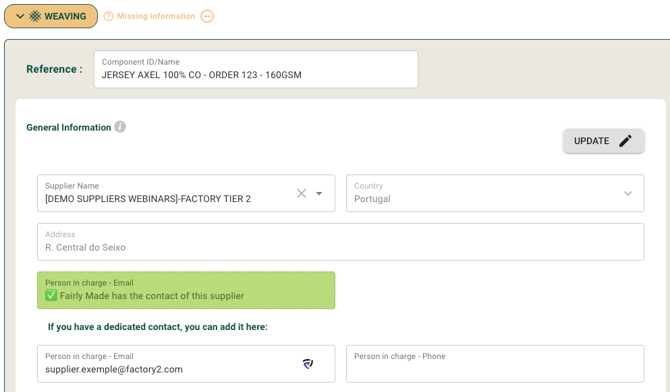
You received a form already filled out?
Please verify that the information filled in (technical information and traceability) in the processes concerning you is correct, and complete at least one new upstream production process with the minimum required information (more details above).
Do the theoretical production steps not reflect the actual manufacturing process of this item?
- Add a production process : you can click on “Add a process” at the exact position you wish to add the production step. A variety of additional production steps are available (printing, finishing, etc.)

- Delete a production process : you can click on this button next to the production step to delete the process

⚠️To be used only if the production step is not relevant to the manufacture of the component. You can leave production steps empty, but don't delete them just because you don't know the traceability - other suppliers may fill them in later.
5. FORM SUBMISSION AND FEEDBACK
The “finalize and send” button at the bottom of the form allows you to submit the form to Fairly Made®.
Fairly Made® will check the forms, 2 options:
- The form is validated. Fairly Made® has enough information to contact your supplier and to go further into the supply chain. Click here to better understand our process.
- The form needs to be rectified. You will receive an email explaining all the required corrections.
If you'd like to see a demo on the platform, sign up for one of our webinars!