👕 Retrieve the links to your product sheets
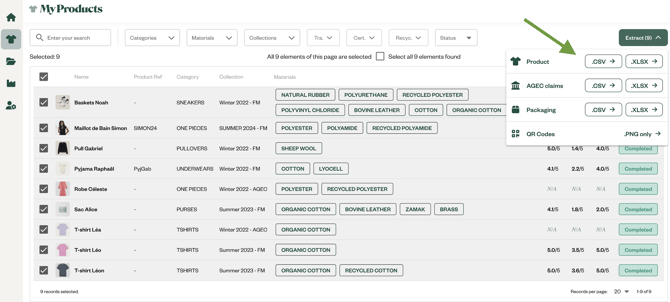
You can retrieve the links from your platform account by clicking on the My Products tab and then “Extract CSV”:
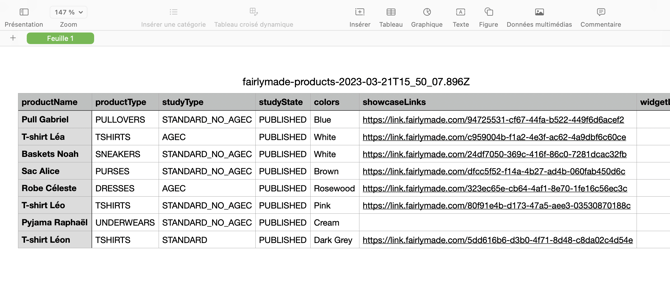
You can then download all of the links for your products in CSV format
🖱️Integrate the product pages into your e-shop
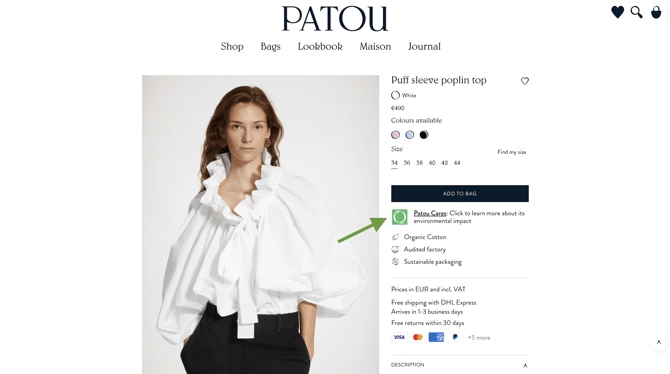
The popin allows visitors to view the product sheet without leaving your website.
Here is the technical documentation with some CMS examples: e-commerce integration of the showcase
Example of e-commerce integration
✨ Customization
You can customize the showcase to be sure it's aligned with your art direction
Product sheet blocks
1. Possibility to display one or all claims. The responsive effect of product sheets allows for flexibility in personalization.
2. Colors and Fonts
3. AGEC: is it possible to remove one or more claims? If the brand is not affected by AGEC, total flexibility.
4. Personalization via "Brand’s Message" under Materials and Recyclability.
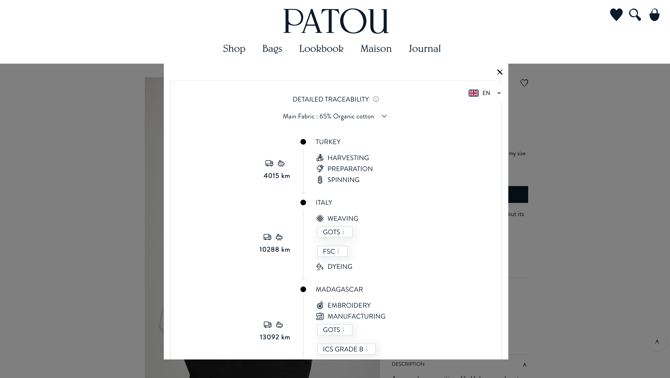
5. Detailed traceability block: Possibility to remove flags and leave the names of countries for each supplier.
Environmental impacts
1. Possible to remove one or more impact even if the brand has the full module. The brand can also choose which impact to display on the product sheet.
2. For the equivalents of environmental impacts: the brand can decide whether to keep them or remove them from the product sheet and can choose the equivalences from the ADEME list (only say this if the brand requests it).
3. At the end of the product sheet, you have the possibility to add another "Brand Word" to further personalize it and speak directly to your customers.
4. The brand can also choose to remove the photo on the side / top of the product sheet.
❓ F.A.Q.
What languages are available on the product sheet?
All sheets are available in French, English, Italian & Spanish. Soon in German, Japanese, and Mandarin!
Do we need multiple sheets per language?
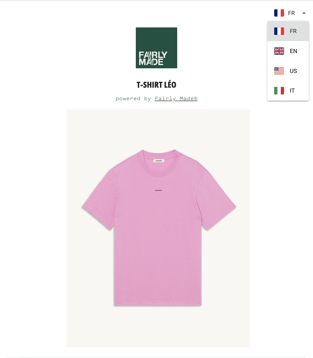
Only one product link is necessary. The available languages can be selected at any time in the top left corner of the product sheet:
Which language is the default?
The languages automatically adapts based on the visitor's browser or smartphone scanning the QR Code.
What is the minimum size of the QR code if we want to print it on a care-label?
The QR Code can be printed in different formats However, it should not be smaller than 2cm x 2cm.
The printing size of the QR Code depends on the distance at which the reader will scan the QR Code. To know the ideal size, a simple formula can be applied:
QR Code Size = Reading Distance / 10
Example: 33*33cm for a reading distance of 3m
Can the product sheets be customized per product? Example: show the impacts on one t-shirt but not on another?
In order to keep the product sheets consistent, they cannot be customized by product for the moment
These product sheets are the same for all of products of the brand and are automatically generated. Once the customisation and layout are validated, the traceability information and product impact measurements are automatically plugged in.
How long are the Fairly Made® product sheets kept?
We keep the B2C product sheets for a period of minimum 2 years.
Is it possible to have a QR code directly redirected to the client's website?
A Fairly Made® QR code can only temporarily redirect to a client's website, as it does not provide any added value compared to a QR code created by a brand.
Does a non-loaded QR Code still display the name of the product reference when scanned?
The sheet will display the public name of the product reference and indicate that the study is not yet complete.