
Follow these steps to add a new user to your Supplier Interface:
-
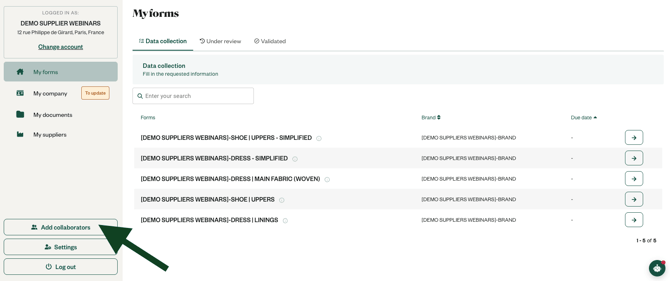
Click on the "Add collaborators" button at the bottom left of the screen
Only the administrator can see this button. If you want to know who the administrator is in your company, go to the member list via Settings > Members.
-
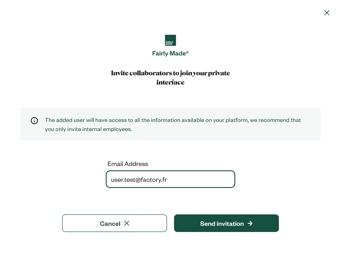
Enter the user's email address, ensuring it is not a member of the brand for which you are filling out the forms, or one of your upstream suppliers:
-
The invited user will receive an email with a link to access the Supplier Interface.
-
Once they accept the invitation, they can log into your private Supplier Interface!
📢 Important Reminder!
Anyone with access to your account can view all traceability projects, including:
-
Information on past, current, and future projects.
-
General company details and performance.
-
Technical specifications of analyzed components.
-
Traceability data about your suppliers.
📅 Security Best Practices
We strongly recommend that you only invite internal employees from your company.
❌ Clients and suppliers should not be granted access. ❌ Avoid using personal email addresses to reduce security risks.
🔒 Protecting Confidentiality & Data Privacy
Your data, as well as that of our clients, is strictly confidential. Please remain vigilant when managing access to your account.
To learn more about our confidentiality and data policies, click here.