
Here, we will explain how our documentation is structured, what information it contains, and how to navigate it.
Dedicated articles are available on this website on sending data via the API, supporting your project, or connecting your systems to ours.
API Documentation Overview
Let’s start with an overview :
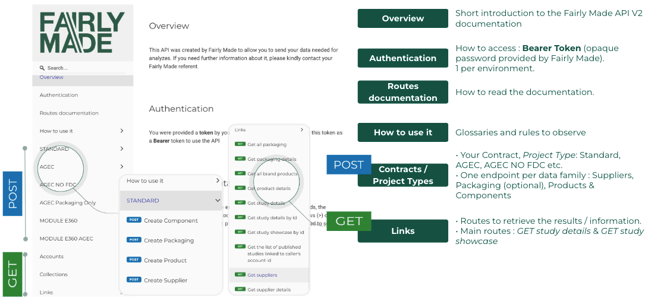
The complete API documentation is available here.
This is where you will find all API-related information, organized first by project type (based on the offer you have chosen with Fairly Made) and then by endpoints, routes (POST and GET).
This documentation is designed for intermediate to advanced users, providing detailed explanations of each route and its content to address technical concerns.
POST Routes
For example let’s take the documentation for STANDARD project :
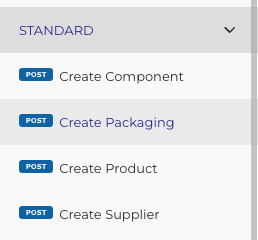
There are four POST routes for creating a product, which must be followed in a specific order (different from the alphabetical order shown in the overview) :
- SUPPLIER,
- PACKAGING (optional),
- PRODUCT,
- and COMPONENT.
Required Fields
Each route will show you the required fields to create their respective objects. These must be filled out; otherwise, you will receive an error message and the object will not be created.
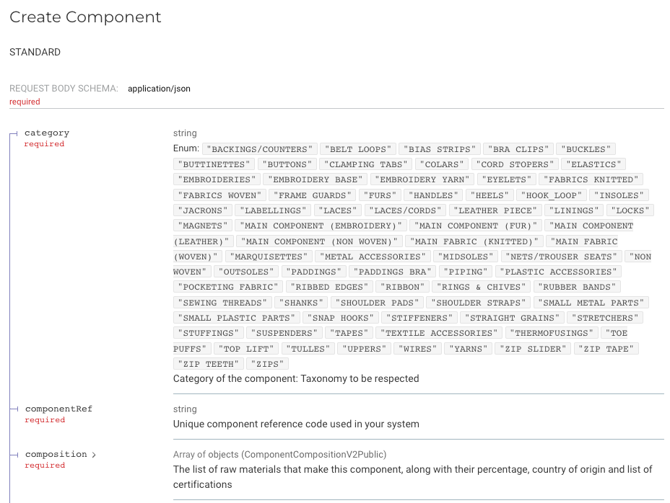
Payload example
On the right, on the black box, are the request samples, to show you what a payload for this route should look like.
Take this same route, the POST Create Component of the STANDARD Project Type :
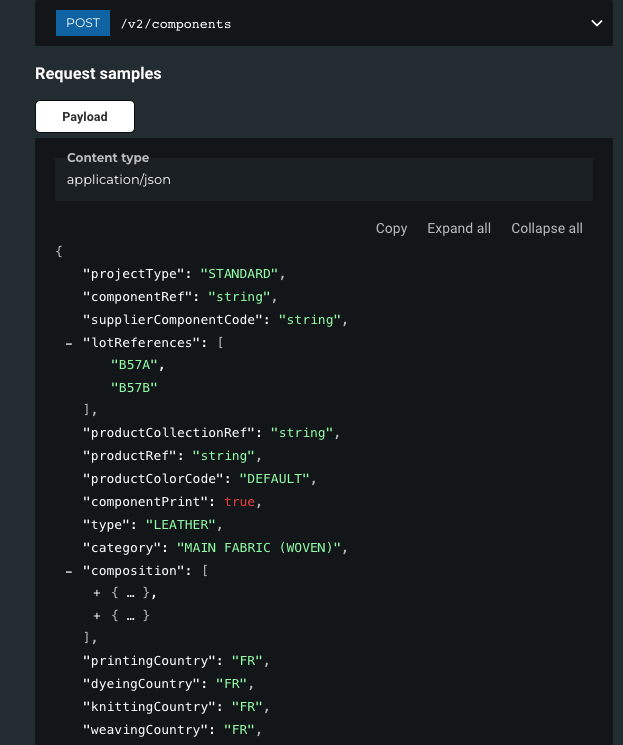
It is a visual example of the parameters indicated on the left with random data that you can copy and paste to test the API.
POST test - Create Component
{
"projectType": "STANDARD",
"componentRef": "Semelle Intérieure Cuir Y34",
"supplierComponentCode": "Soletta in pelle Y34",
"productCollectionRef": "SS26",
"productRef": "BottesMagnifiquesSS26",
"productColorCode": "NERO",
"type": "LEATHER",
"category": "INSOLES",
"composition": [
{
"material": "BOVINE LEATHER",
"percentage": 100
}
],
"componentWeight": 100,
"certifications": [
{
"date_start": "2024-02-04",
"type": "ICEC - LEATHER FROM ITALY - UNI EN 16484",
"date_end": "2024-12-04"
}
],
"importationBatch": "StandardPostV1Clotilde",
"supplierRef": "Tannerie Grandes Peaux"
}
As explained in the previous article, the Sandbox environment is designed for testing data submission to Fairly Made. Error messages will appear if required fields are missing or the data is incorrect. Our approach is based on learning by doing.
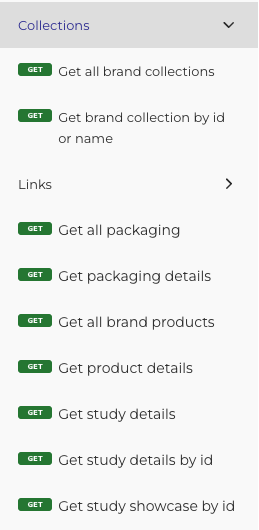
GET routes
Further down we have the GET routes, to question the API to return the data you want.
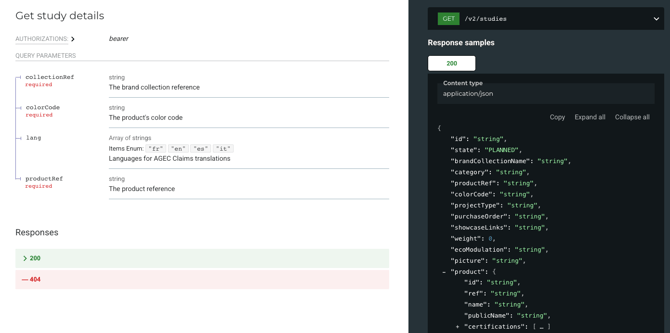
Just like the other routes, you will find all the necessary information on the documentation. For example, here is the GET Study Details route, with required information highlighted in red, and the appropriate example payload on its right:
API Responses
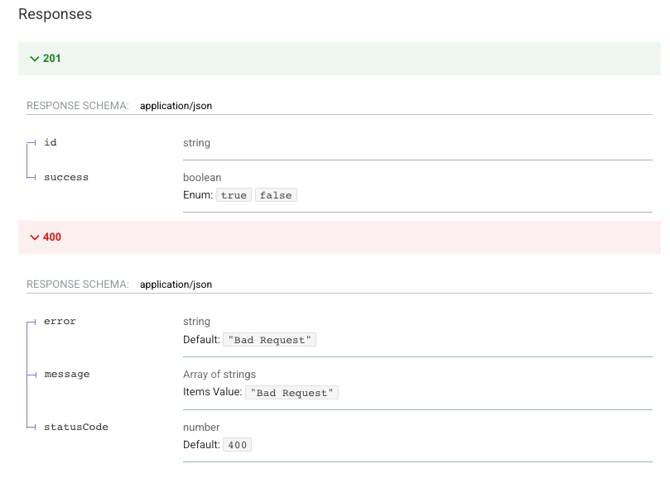
- 400 : Bad request answer
- 400 : Bad request, e.g. Component already linked
- 403 : Forbidden, e.g. wrong token used
- 404 : Endpoint does not exist, e.g. v2/supplierssss
- 200 : Validation answer
- 201 : Validation
- 500 : Server error
You can check the dedicated article to gain a better understanding of each API response.
If you have any other questions, suggestions or informations that you are seeking, please email us at guillaume.babule@fairlymade.com or clotilde.bazin@fairlymade.com, or directly book a meeting with us here.